Stordia HospitalityThe evening under control
The whole evening on one tablet.
The Manager App is the tool for your team during service: reservations, guests at the venue and everything that comes up during the day. It runs on a tablet and just as well on a phone.
Signing in with your own PIN
Each person in your team signs in with their own name and a personal PIN.
What someone sees depends on their role. Servers see what they need during the shift. The settings are reserved for Managers and Owners, the revenue for Owners.
- With the padlock in the bar at the top you lock the tablet.
- If a tablet is lost, a Manager or Owner locks it from another device.
The day at a glance
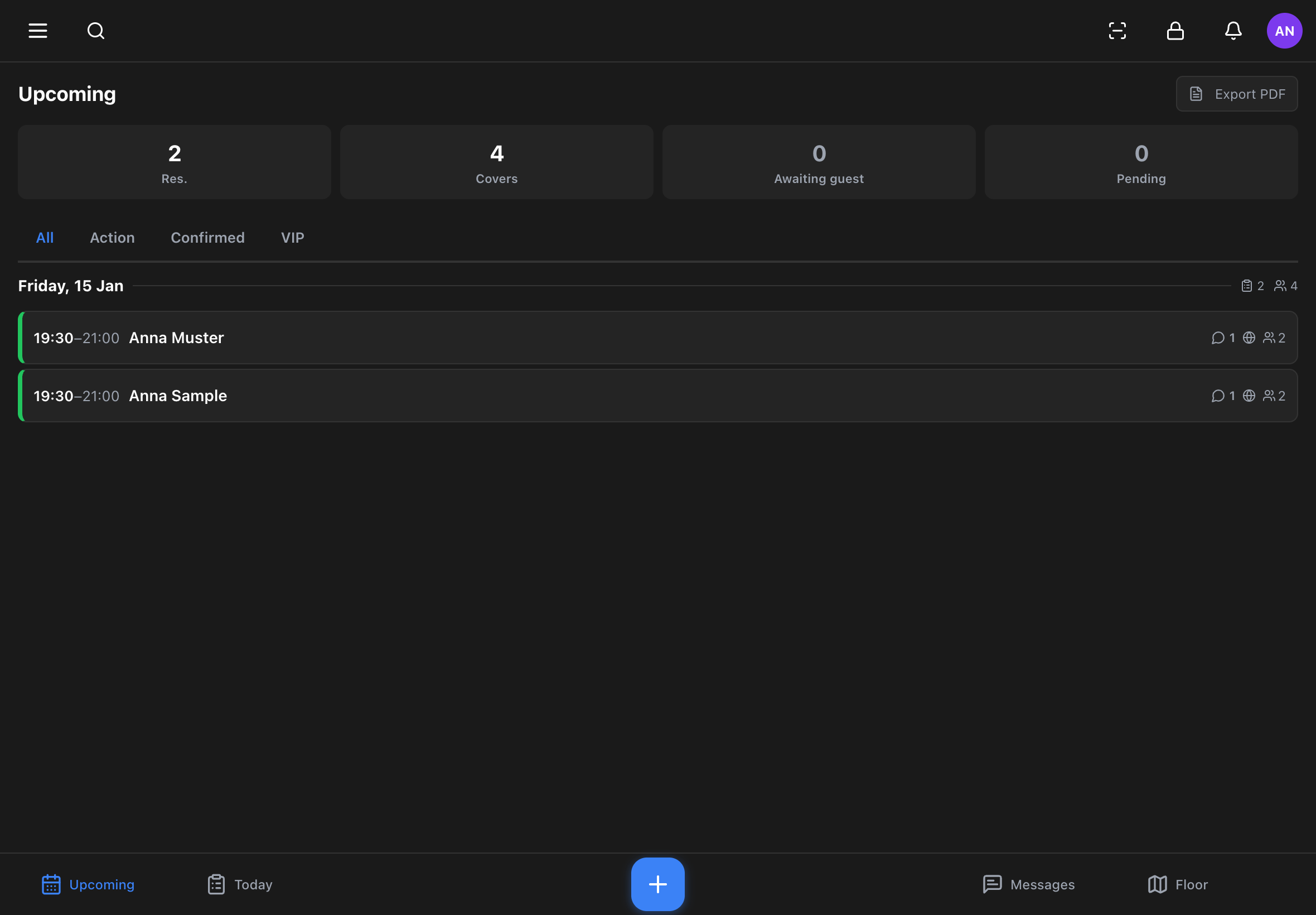
Under “Today” you find today's reservations, in the groups “Now”, “Upcoming”, “Cancelled” and “Done”. Under “Upcoming” you see the coming days, day by day.
The filter “Action” shows what is waiting for you: reservations that need a decision, guests running late and change requests.
- The floor plan shows your tables.
Arrive, seat, complete
When a guest arrives, you record the arrival with one tap, assign a table and complete the visit at the end.
It is quicker with the QR code: your guest shows it on their reservation page, your team reads it with the tablet. Without a camera you type the code in.
Guests without an online reservation
Not every guest books online. Some come without a reservation, others call. You enter both yourself with the plus in the bar at the bottom. They are then in the same day plan as everyone else.
If no table is free right now, you put guests on the waitlist.
- Walk-in: set the number of guests, choose a table, done.
- Phone: name, date and time. If you wish, the guest receives a text message with a link to confirm their reservation.
When something changes
Confirming or declining a reservation, changing details, cancelling, or marking a guest as a no-show: your team does all of this right in the app.
If a guest wants to change the date, the time or the number of guests, their wish reaches you as a request. You accept or decline it.
Checking and redeeming gift vouchers
When a guest pays with a gift voucher of your venue, you check it by QR code or code and redeem it, in full or in part. The rest stays on the voucher.
On your device, in your language
The Manager App is available in German, English and Greek. You set the language in the app.
You don't necessarily need a tablet: the Manager App runs just as well on a phone. You bring the device yourself.
We set up your first tablet together with you. You add further tablets yourself.
Entries such as the waitlist or the gift vouchers appear where your venue uses the feature.
The help centre explains step by step how your team works with the Manager App. Go to help →
Frequently asked questions
- Do I need a tablet?
- Not necessarily. The Manager App runs just as well on a phone. You bring the device yourself.
- Which languages is the Manager App available in?
- In German, English and Greek.
- What happens if a tablet is lost?
- A Manager or Owner locks the device from another tablet. If you have no other one at hand, let us know: we lock it for you.
Everything works together
From €199 a month.
No fee per reservation, no payment commission; only Stripe's fees apply. Setup €349 one-time, minimum term 12 months. All prices exclude VAT.
View pricing →