The day at a glance
What the Manager App shows after you sign in: the reservations, the bars at the top and the bottom and the menu with its three groups.
After you sign in, the Manager App opens your reservations in the tab Upcoming. From there you reach everything else through the bar at the bottom, the bar at the top and the menu on the left.
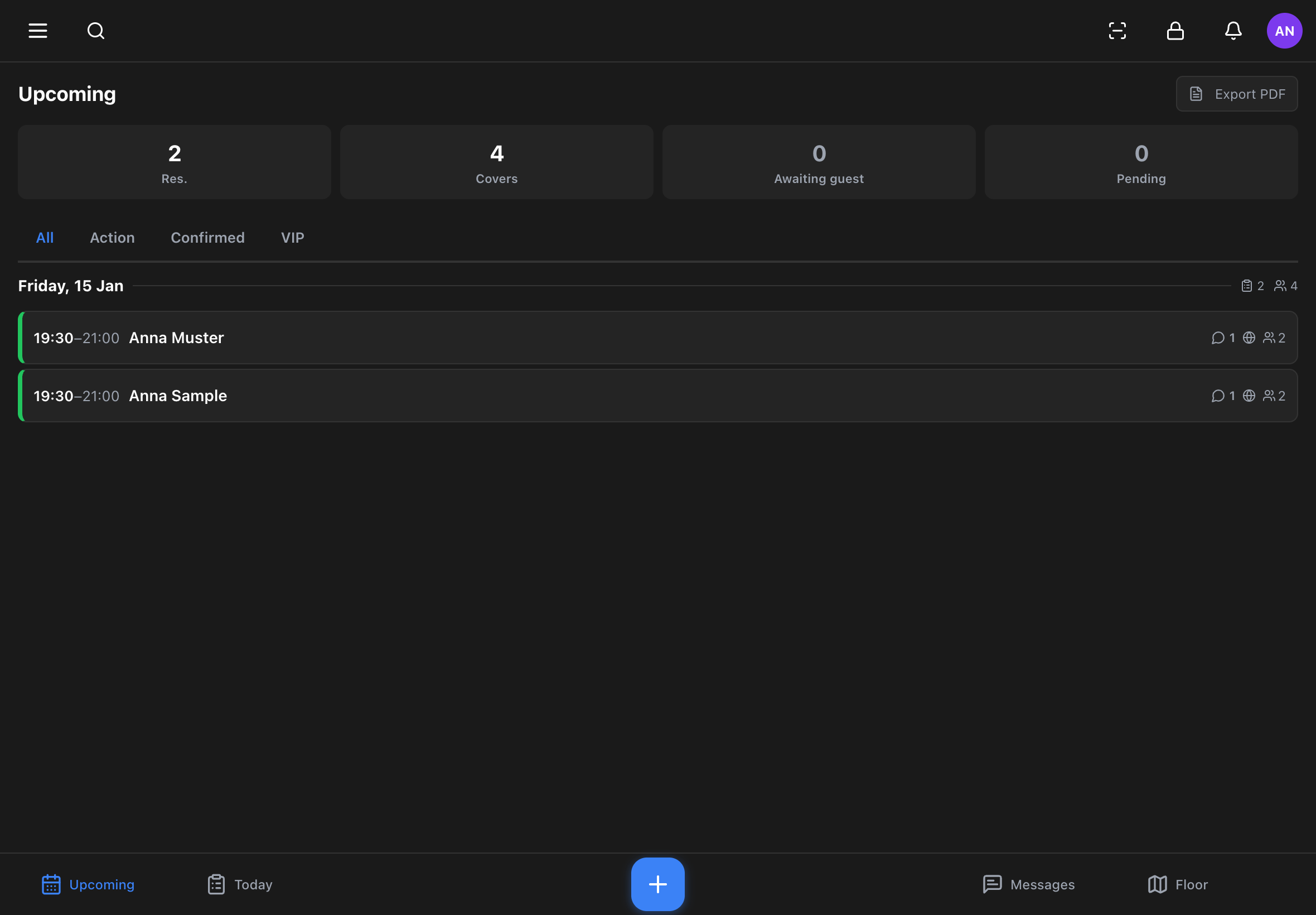
The bar at the bottom

- Upcoming: the reservations of the coming days, day by day. With All, Action, Confirmed and VIP you filter the list. Under Action you find reservations that are waiting for a decision or for the guest, guests running late and change requests.
- Today: today's reservations, in the groups Now, Upcoming, Cancelled and Done. The number on the icon shows how many guests are seated right now.
- Plus: the quick actions Walk-in and Phone. Where your venue uses the waitlist, Add Guest is here as well.
- Messages: what your guests write to you, where your venue has messages. At venues without messages this place shows Inquiries for the people who answer inquiries, and the Timeline for everyone else.
- Floor: the floor plan with your tables.
The bar at the top

- Menu: opens the menu on the left.
- Magnifier: the search.
- Scan check-in code: reads the QR code that a guest shows on their reservation page, and also a voucher code. Without a camera you type the code in.
- Padlock: locks the tablet.
- Bell: shows the notifications.
On the right you see who is signed in.
The menu on the left
The menu has three groups.
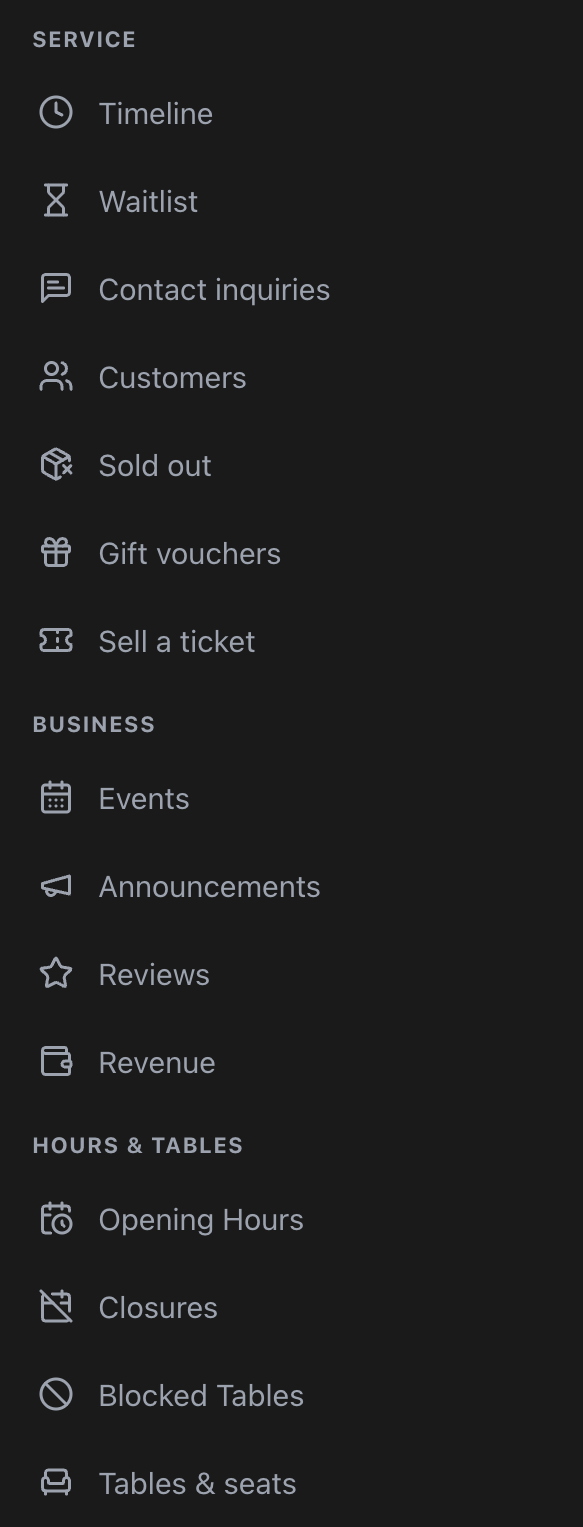
SERVICE, for the work during the shift:
- Timeline
- Waitlist
- Contact inquiries
- Customers
- Sold out
- Gift vouchers
- Sell a ticket
BUSINESS, for what your venue shows and earns:
- Events
- Announcements
- Reviews
- Revenue
HOURS & TABLES, for what you rarely change:
- Opening Hours
- Closures
- Blocked Tables
- Tables & seats
Below them, under GENERAL, you find Settings, Refresh Data and the Language of the app.
Why you do not see every entry
Which entries you see depends on your venue and on your role.
- Your venue: Entries such as Waitlist, Sold out, Gift vouchers or Events only appear where your venue uses that feature.
- Sell a ticket: only appears where your venue sells tickets at the venue and there is an offer for it at the moment. Managers and Owners can sell.
- Server: sees the group SERVICE. The groups BUSINESS and HOURS & TABLES and the Settings are reserved for Managers and Owners.
- Revenue: only Owners see it.
- Contact inquiries: Where your venue has messages, everyone sees this entry. At venues without messages Owners always see it, and Managers as long as an Owner has not switched it off. Servers do not see it there.
You can read how to add a guest without a reservation in the article Adding a guest yourself.
Last checked: 25 November 2026