Signing in with your PIN
Each person in your team signs in to the Manager App with their own name and a personal PIN. This is how it works.
In the Manager App each person works under their own name and sees what belongs to their role.
Signing in
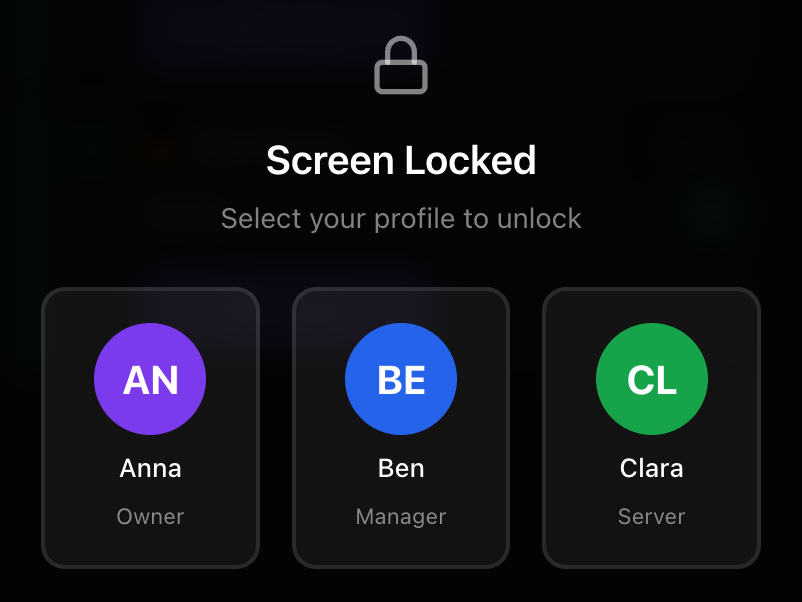
- The tablet shows the names of your team. Under each name you see the role: Owner, Manager or Server.
- Tap your name.
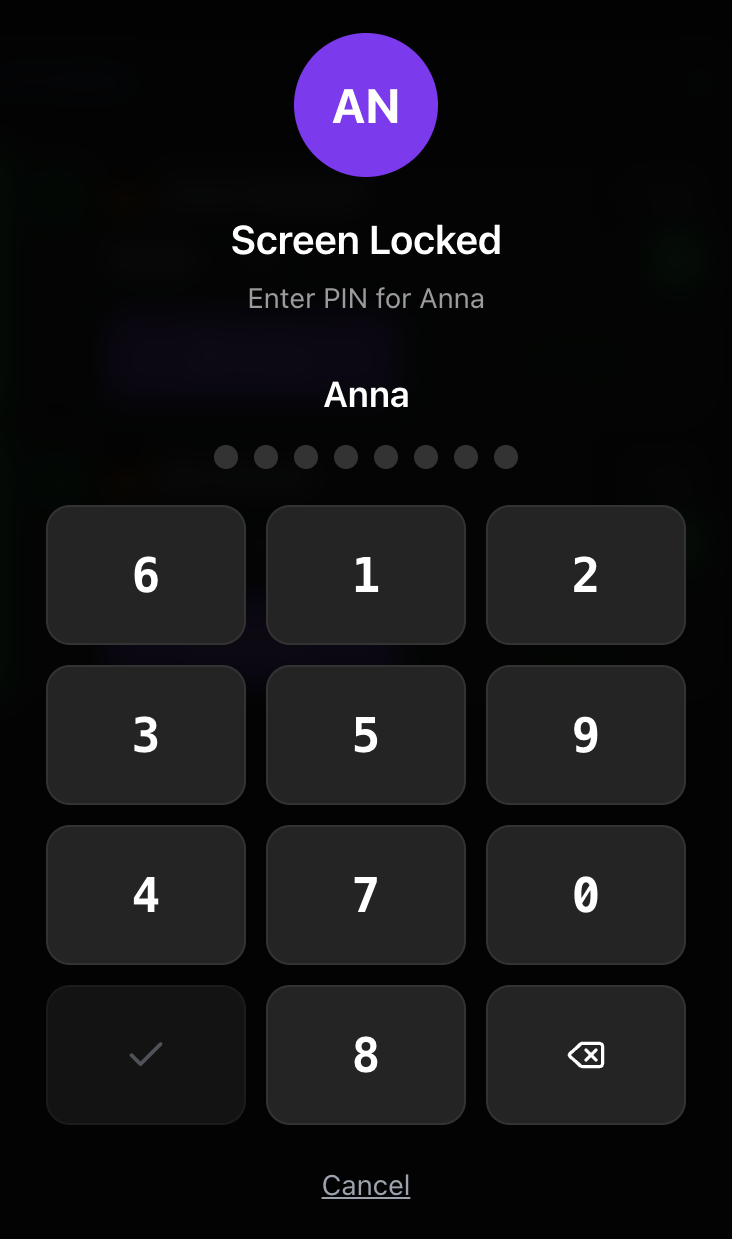
- Enter your personal PIN and tap the tick.
The digits are in a different place every time you sign in. This is intended.
If the PIN is wrong
If the PIN is wrong, the app tells you. You can try again at once.
After several wrong entries in quick succession the app asks you to wait a moment and shows the seconds. After that it carries on as usual. Nobody is locked out.
Locking the tablet
Tap the padlock at the top (Lock) when you put the tablet down. The app then shows the names of the team again.
After some time without a touch the tablet locks by itself. A notice appears shortly before. Tap the screen if you want to keep working.
A Manager or Owner sets how long this takes in Settings under Auto-lock. The setting applies to the whole team.
Changing the person
If another person takes over the tablet, lock it. The next person taps their name and enters their PIN.
Forgotten PIN
A Manager or Owner resets the PIN:
- Open Settings and then Staff Members.
- Choose the person and tap Reset PIN.
- Enter the new PIN under New PIN and under Confirm PIN and tap Save PIN.
Only an Owner resets the PIN of an Owner.
If nobody in your team can reset your PIN, contact us: by e-mail at hello@stordia.com or by phone on +49 30 235929819, Mon–Fri 9:00–17:00 and Sat 10:00–15:00 (German time).
Good to know
- Before certain actions the app asks for your PIN again.
- Your PIN is yours alone. Do not pass it on.
- If a person leaves your team, a Manager or Owner switches off Active for them under Staff Members. They can then no longer sign in.
- The app updates itself while the tablet is locked.
You can read what you see after signing in in the article The day at a glance.
Last checked: 25 November 2026